

Description
Download 1Click DVD Copy Pro – Fast, Secure DVD backup tool
Overview
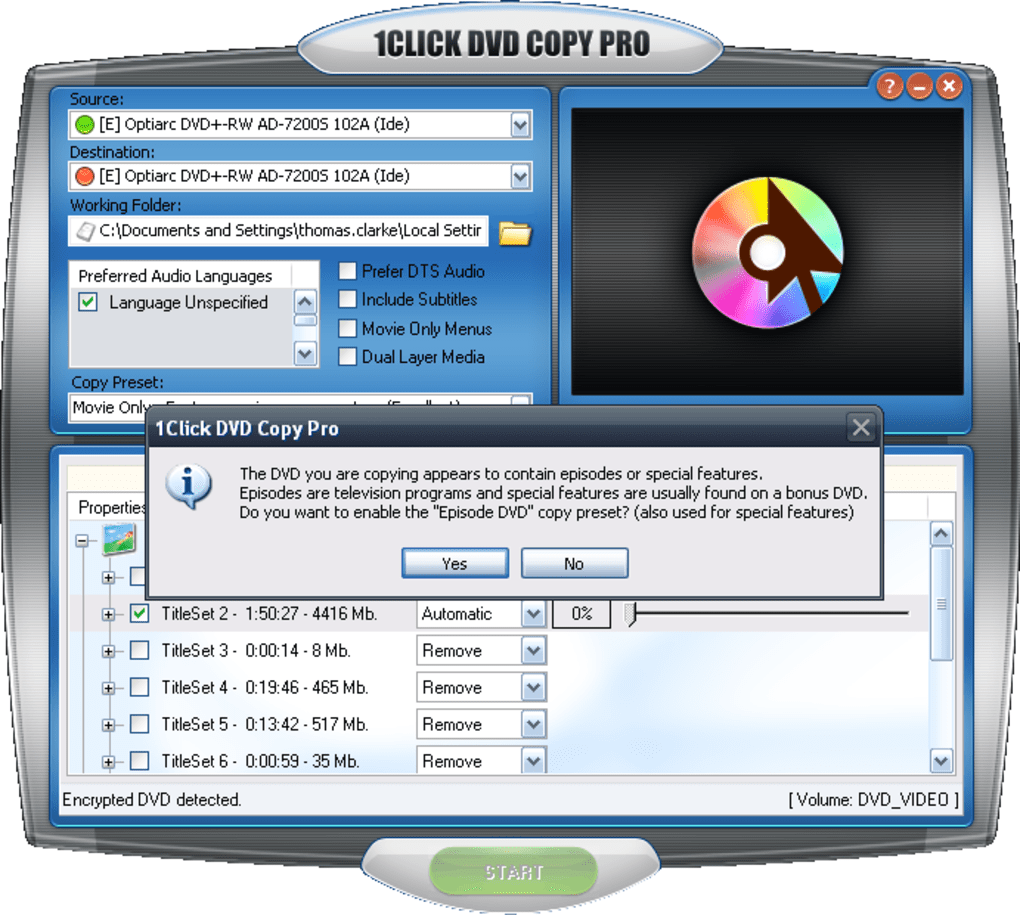
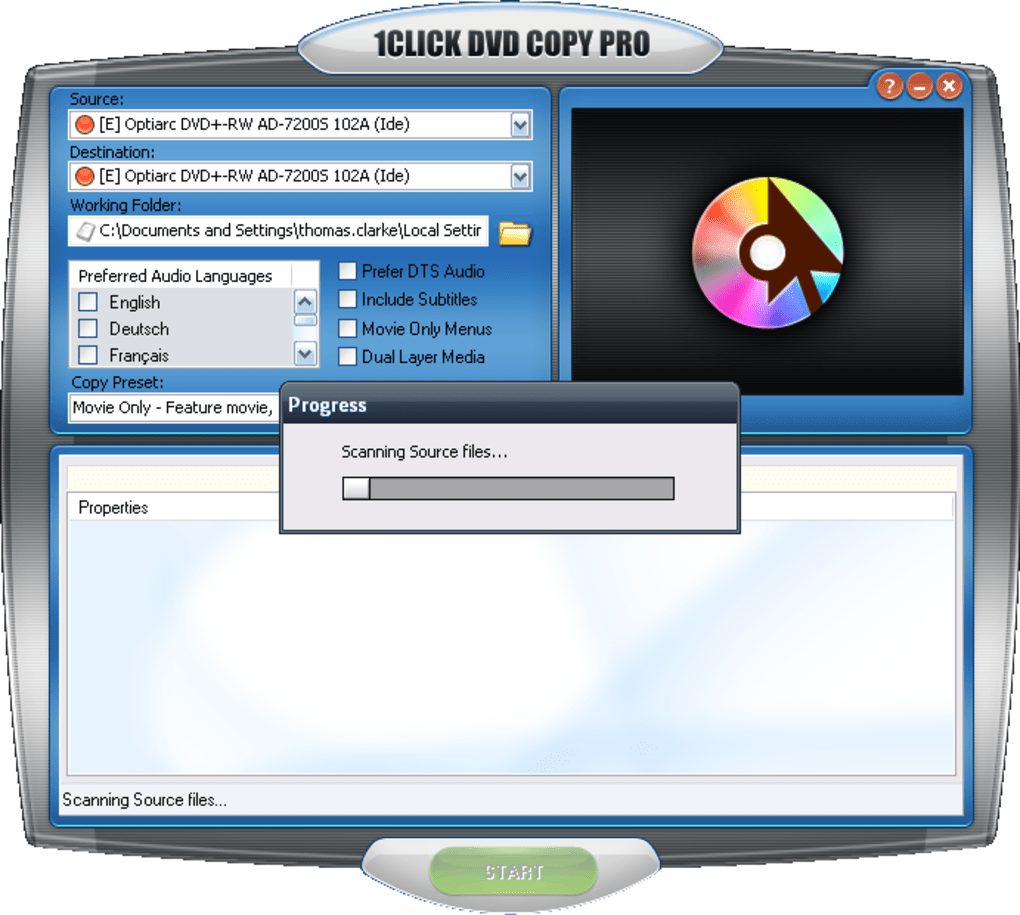
1Click DVD Copy Pro is a dedicated DVD cloning utility that promises perfect, bit‑for‑bit copies of your movie discs. Designed for users who need a reliable backup solution without the hassle of manual file splitting, the Pro edition expands on the standard version by offering granular control over audio tracks, subtitle streams, and multi‑channel sound formats such as 5.1 and DTS. The software follows a straightforward installation wizard, launches quickly, and presents a single‑window interface that, while not the most polished, gets the job done efficiently. Once a source DVD is inserted, the program scans the disc, displays a preview of the video, and lets you choose from preset copying modes—Full Disc, Title Only, or Custom Selection. You can also decide whether to keep the original menu structure or create a simplified copy for portable players. Although the UI suffers from occasional quirks—like dragging the video preview moving the whole window—the underlying engine is robust, delivering clean copies in a matter of minutes. For anyone who values speed, accuracy, and the ability to fine‑tune the content on the backup disc, 1Click DVD Copy Pro stands out as a practical, cost‑effective solution.
Key Features & System Compatibility
- Exact audio‑track selection, including multi‑channel 5.1 and DTS support.
- Copy Preset library with Full Disc, Title Only, and Custom modes.
- Preview window with real‑time playback before burning.
- No file splitting required – the program writes the entire movie to a single disc.
- Automatic disc detection and error‑checking for bad sectors.
- Supports DVD‑R, DVD‑RW, and DVD‑+R/RW media types.
- Batch copying capability for multiple discs in one session.
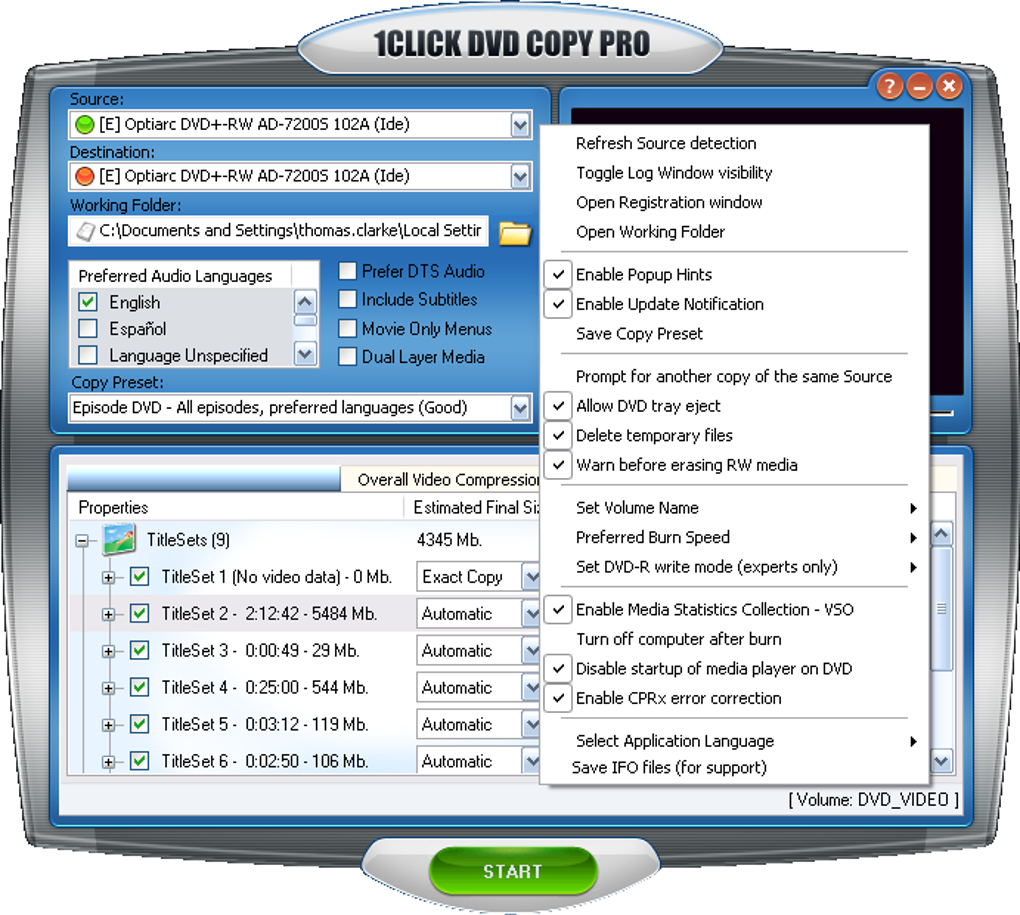
- Simple right‑click context menu for quick access to advanced options.
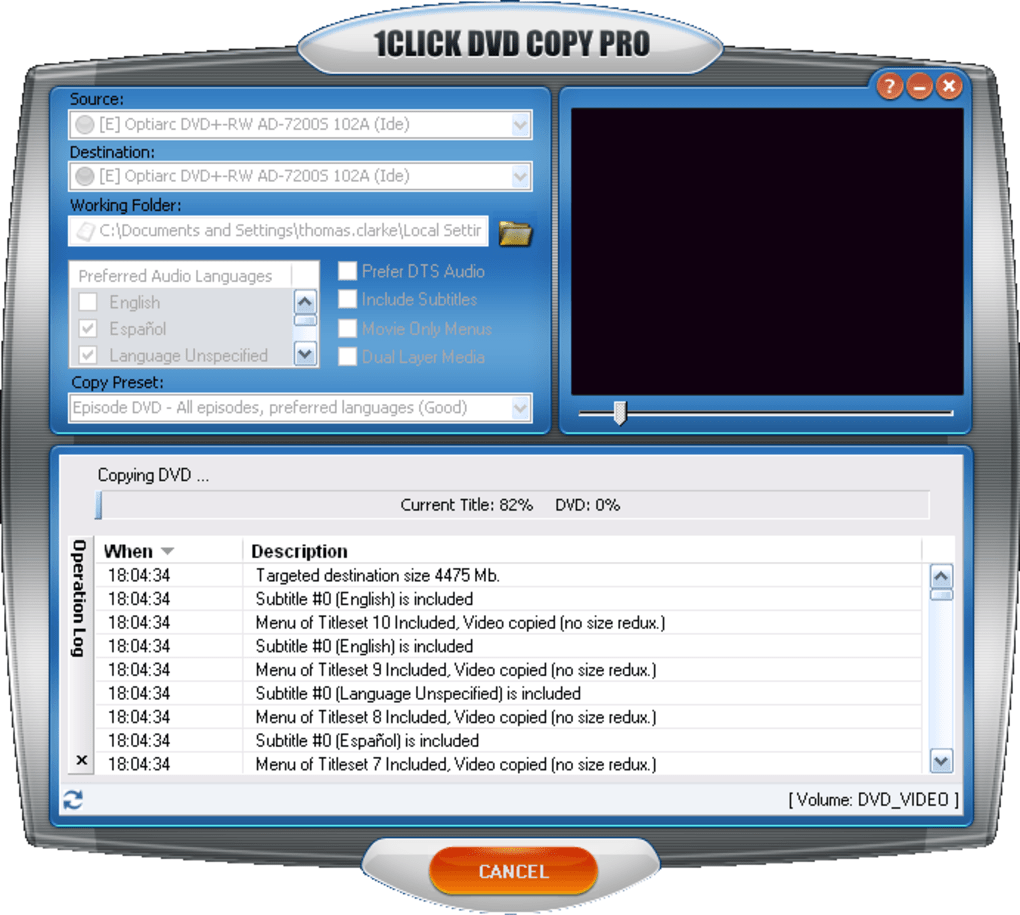
- Built‑in logging to track copy progress and any encountered issues.
- Low system footprint – runs comfortably on modest hardware.
1Click DVD Copy Pro is built for Windows environments. It works on Windows 7, 8, 10, and 11 (both 32‑bit and 64‑bit editions), provided the system has at least a 1 GHz processor, 512 MB of RAM, and an optical drive that supports DVD reading and writing. The application does not require any additional drivers; it utilizes the native Windows Media Device Interface (WMDI) for disc operations. Because the software interacts directly with the DVD burner, it is compatible with most major brands, including Lite‑On, ASUS, and Pioneer. Users who run Windows Server editions can also install the program, though a typical desktop setup yields the best performance. No macOS, Linux, Android, or iOS versions exist, so Windows remains the exclusive platform for this tool.
Installation, Usage & Performance
Installing 1Click DVD Copy Pro is a breeze. After downloading the installer from the official website, double‑click the .exe file and follow the on‑screen wizard. The installer asks for a destination folder (the default location works for most users), offers to create a desktop shortcut, and checks for the presence of a compatible DVD burner. Once the installation completes, launch the program; it will automatically detect any DVD inserted in the drive. The main window presents three tabs: Copy Presets, Audio/Subtitle Selection, and Advanced Settings. Selecting a preset automatically loads the appropriate configuration, but you can tweak individual tracks by checking or unchecking boxes in the audio list. The preview pane allows you to scrub through the movie, ensuring you have selected the correct titles before burning.
When you click “Start Copy,” the software begins a rapid scan of the source disc, identifying any damaged sectors and reporting them in the log. Thanks to its optimized write algorithm, a typical 4.7 GB DVD is duplicated in 6‑10 minutes on a modern DVD‑R writer. The program also supports multi‑threaded processing, which speeds up the copy on multi‑core CPUs. After the burn completes, a verification step confirms that the copied disc matches the original byte‑for‑byte, giving you confidence that the backup is reliable. If errors occur, the built‑in error‑recovery routine attempts to rewrite the problematic sections up to three times before prompting the user. Overall, the workflow is intuitive, even for users who are new to disc copying, and the performance metrics place 1Click DVD Copy Pro among the faster tools in its class.
Pros, Cons, FAQ & Conclusion
Pros
- Fast, one‑step copying without the need for file splitting.
- Fine‑grained control over audio tracks and multi‑channel sound.
- Reliable error detection and automatic recovery.
- Low system requirements; works on older Windows PCs.
- Batch processing for multiple discs in a single session.
Cons
- Interface feels dated and can be unintuitive (e.g., right‑click for options).
- No native support for macOS, Linux, or mobile platforms.
- Lacks advanced video editing features such as trimming or re‑encoding.
- Only supports DVD‑R/RW media; no Blu‑ray or ISO handling.
- Occasional UI glitches when dragging the preview slider.
Frequently Asked Questions
Can I copy a protected DVD with 1Click DVD Copy Pro?
The standard version does not include decryption for commercial copy‑protected DVDs. The Pro edition can handle some encryption schemes, but it is not a dedicated cracking tool. Users should ensure they have the legal right to copy the disc before proceeding.
Is there a free trial available?
Yes, the developer offers a 14‑day free trial with full feature access. After the trial expires, you’ll need to purchase a license to continue using the Pro features.
What type of DVD burners are compatible?
Any SATA or USB DVD writer that complies with the standard ATAPI command set works. Popular brands such as LG, Pioneer, ASUS, and Lite‑On have been tested without issues.
Can I copy subtitles or closed captions?
Yes, the program lists all subtitle tracks found on the source disc, allowing you to include or exclude them during the copy process.
How does 1Click DVD Copy Pro handle bad sectors?
During the initial scan, the software marks any unreadable sectors and attempts up to three re‑reads. If the sector remains unreadable, it logs the issue and continues, offering you the option to skip or abort the copy.
Conclusion & Call to Action
In summary, 1Click DVD Copy Pro delivers exactly what its name promises: a quick, reliable way to duplicate DVDs with a high degree of user control. While the UI could benefit from modernization, the core functionality—fast copying, multi‑channel audio handling, and robust error recovery—makes it a solid choice for home users and small‑scale archivists. If you need a straightforward tool to safeguard your movie collection without spending hours configuring settings, download 1Click DVD Copy Pro today, take advantage of the free trial, and experience hassle‑free DVD backup for yourself.
Guides & Tutorials for 1Click DVD Copy Pro
How to install 1Click DVD Copy Pro
- Click the Preview / Download button above.
- Once redirected, accept the terms and click Install.
- Wait for the 1Click DVD Copy Pro download to finish on your device.
How to use 1Click DVD Copy Pro
This software is primarily used for its core features described above. Open the app after installation to explore its capabilities.
User Reviews for 1Click DVD Copy Pro 0
No reviews found





